
Tracking upcoming dividends is essential for planning your income and timing your trades. The Dividend Calendar on MyInvestingLab gives you a complete overview of upcoming dividend events across your holdings, watchlist, and the broader market.
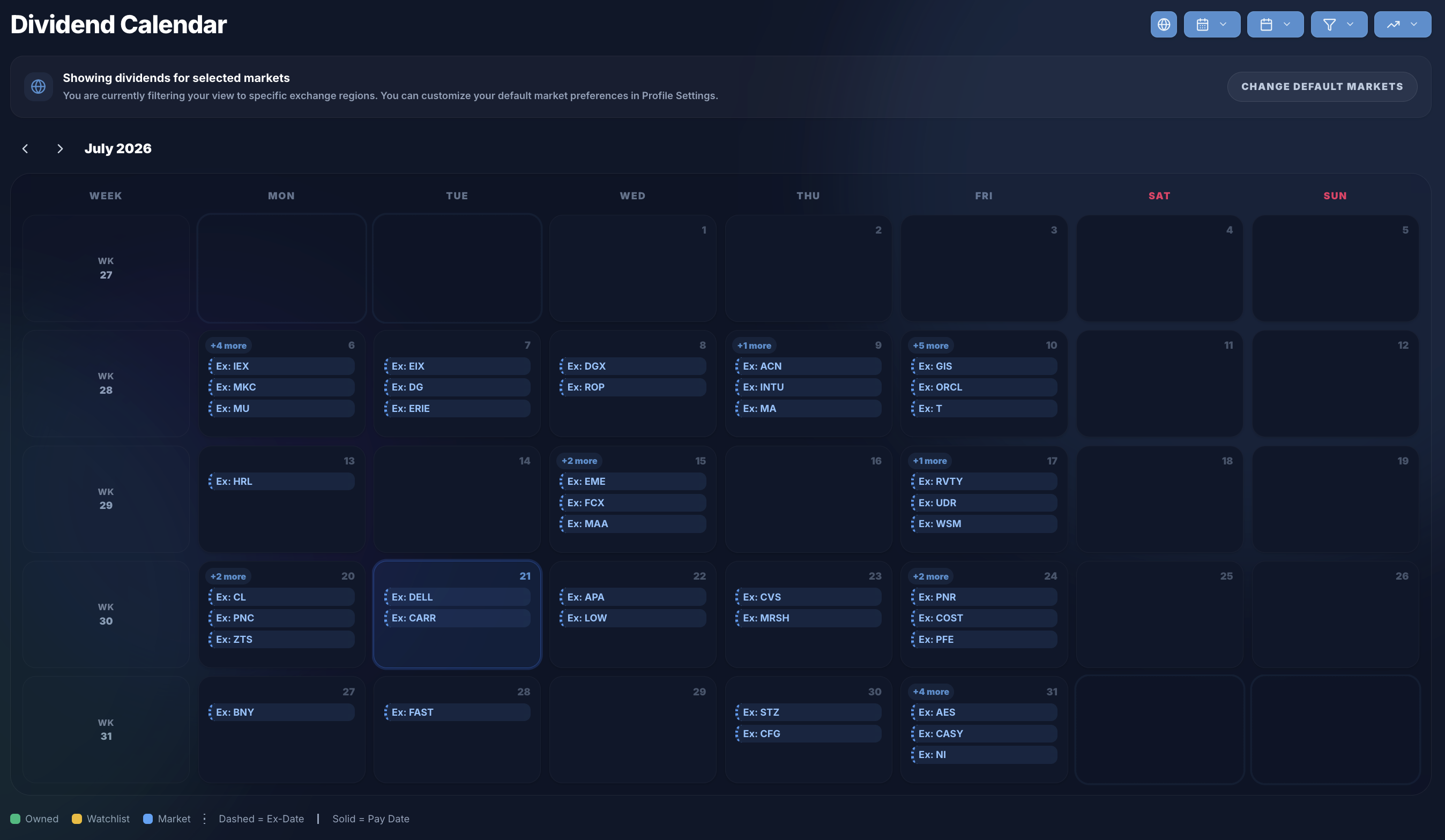
1. Choose Between Ex-Dividend Date and Pay Date
At the top of the calendar, you can toggle between two modes:
- Ex-Dividend Date: Shows the deadline date by which you must own a stock to receive its upcoming payout.
- Payment Date: Shows the date when cash actually arrives in your account.
2. Explore the Three View Modes
You can switch between three layouts depending on how you prefer to browse:
- Cards View: Displays events organized by month into cards. Each card displays the ticker logo, dividend per share, yield percentage, ex-date, pay date, and your estimated net payout.
- Calendar View: A classic monthly grid showing event chips on their respective dates. Owned holdings, watchlist items, and market stocks are color-coded for quick identification.
- List View: A full-width data table ideal for detailed sorting and searching.
3. Zoom In by Day or Week
When using the Calendar View, you can inspect your schedule at different levels of detail:
- Zoom into a Specific Day: Click on any date cell in the grid to open a focused day panel displaying all dividend events for that exact day.

- Zoom into a Whole Week: Click on any week number on the left column of the grid to expand a Weekly Dividend Summary card below, detailing events day-by-day from Monday to Sunday.
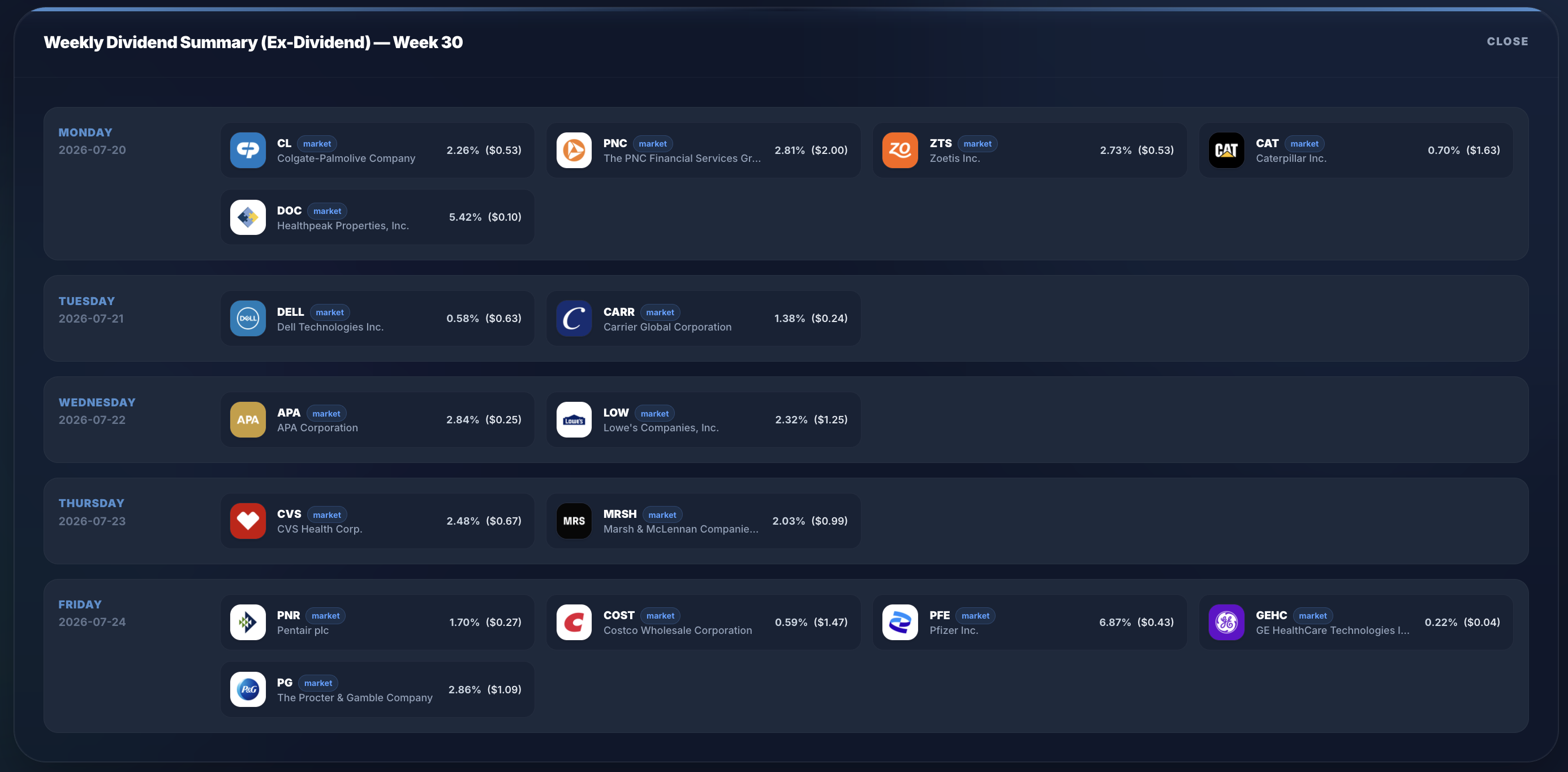
4. Filter by Portfolios, Watchlist, or Market Indices
Customize what appears on your calendar using the filter bar:
- Scope Filter: Filter by Holdings to view only your holdings, Watchlist for saved stocks, or All Market Stocks.
- Market & Index Filters: Select your preferred market (US, UK, Germany, France, etc.) and filter by major market indices like the S&P 500 (SPY), Nasdaq 100 (QQQ), FTSE 100 (ISF.L), or Dividend Aristocrats (NOBL).
5. Search, Sort, and Set Custom Date Ranges in List View
If you prefer tabular data, switch to List View to unlock powerful data tools:
- Column Sorting: Click any column header (Ex-Date, Pay Date, Ticker, Frequency, Rate, Yield %, Net Payout) to sort ascending or descending.
- Instant Ticker Search: Type a symbol into the search box to filter results in real time.
- Custom Date Range: Pick a start date and end date to view events within a specific custom timeframe.
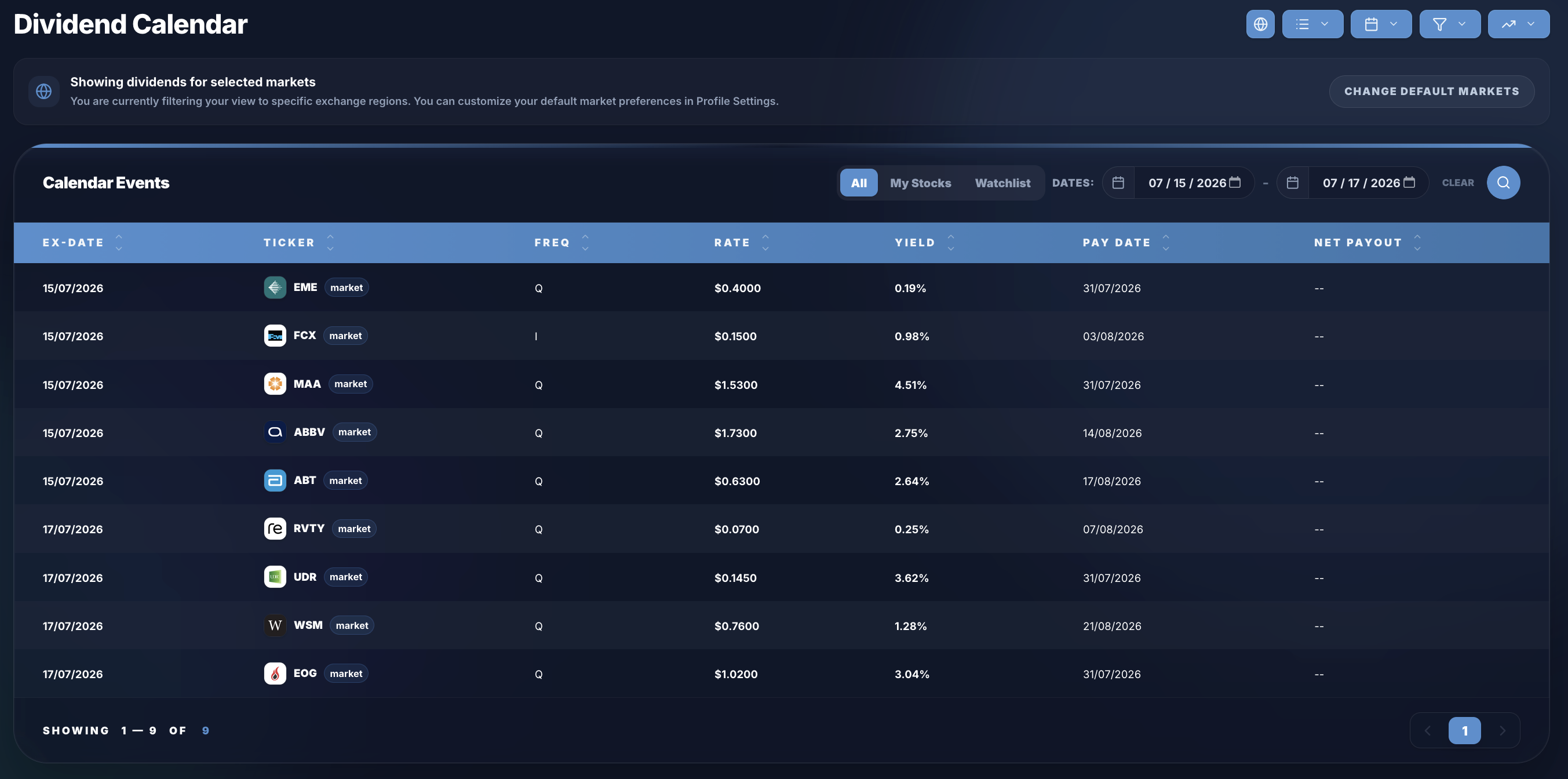
6. Understand Net Payouts & Portfolio Taxes
For stocks in your portfolio, MyInvestingLab automatically calculates your net payout after accounting for withholding taxes set in your portfolio settings. Hovering over your estimated payout reveals a breakdown by portfolio, showing the exact tax rate applied.
7. Ready to Track Your Dividends?
Never miss a payout or an ex-dividend date again. Register for a free MyInvestingLab account today to link your portfolios, build your watchlist, and take full control of your dividend cash flow. You can also try our interactive demo to test all features instantly!